Direct Deposit – Student Refunds
The Business Office recommends that all students receiving refunds enroll for Direct Deposit. Direct Deposit allows student to receive refunds more quickly than by check through the automatic deposit of funds to the student’s bank account.
- Students will be able to enter and maintain bank information in Self-Service.
- Student must have bank information to enroll for Direct Deposit in Self-Service.
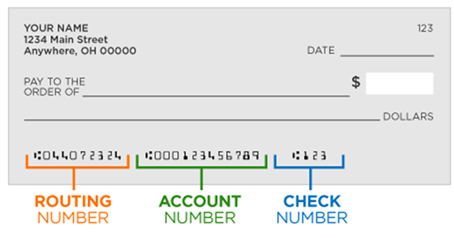
- Students who do not enter banking information in Self-Service will not be qualified for Direct Deposit.
- Students who enter invalid banking information in Self-Service will not receive Direct Deposit; a check will be issued. It will take approximately two weeks to process the check.
- DO NOT USE the following types of accounts:
- Credit Card
- Debit Card
- Prepaid Card
- Gift Card account number
How to Enroll in Direct Deposit through Self Service
- Login to Self-Service
- Select Banking Information
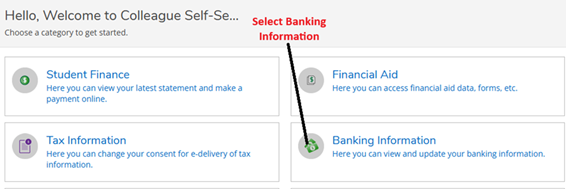
3. Select Add an Account.
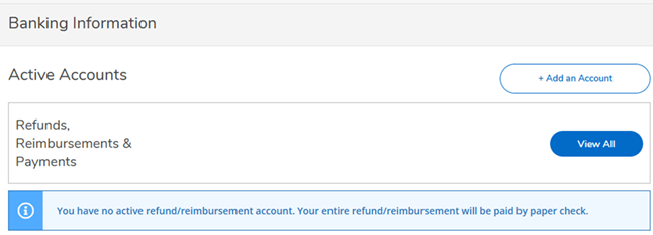
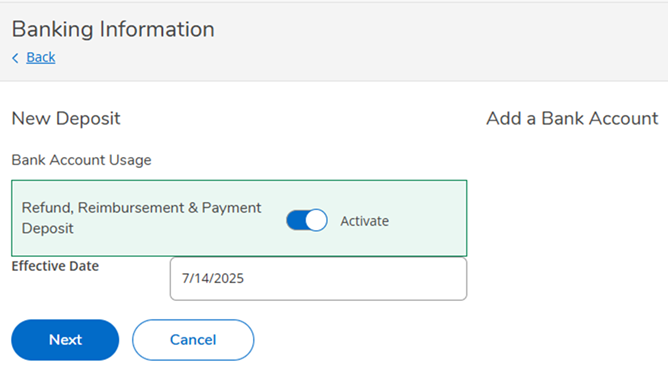
4. Activate your Bank Account Usage for Refund, Reimbursement & Payment Deposit.
- Activate Refund, Reimbursement & Payment Deposit.
- Enter Effective Date (or keep the system-generated date). This is the date you want your account to be active.
- click next
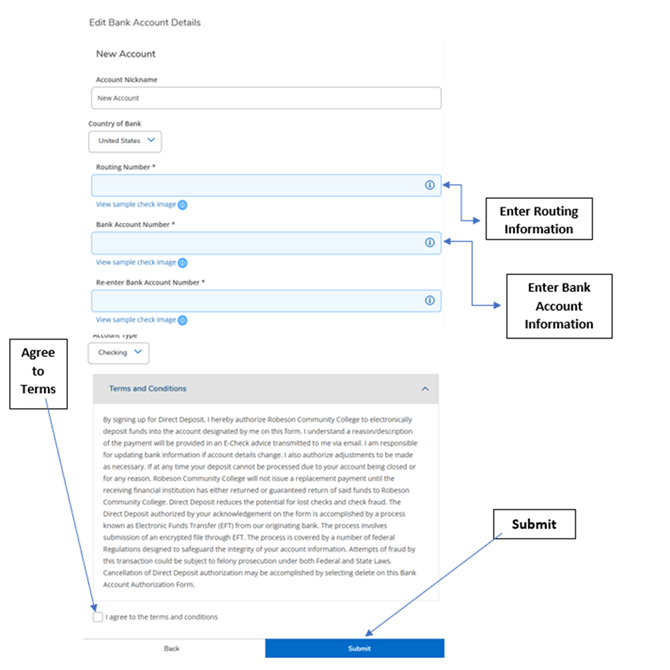
5. Enter Bank Account Detail – When you enter your new bank account details, you must agree to the terms and conditions.
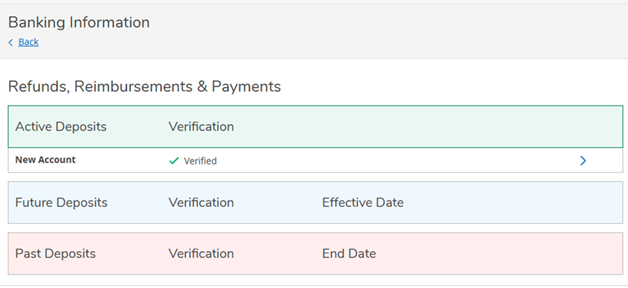
6. Account Verification and View Active Accounts – Refunds/Reimbursements/Payments (E-checks) are paid to accounts that are system verified. The Business Office is responsible for system verification; however, it is your responsibility to ensure your bank account information is entered correctly.
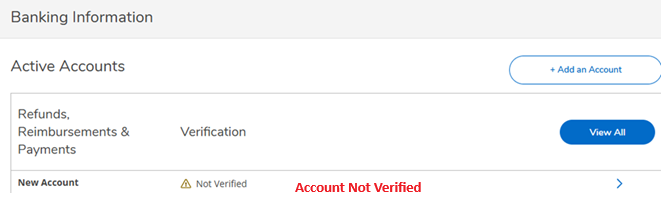
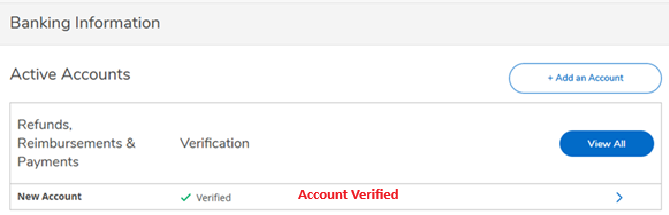
Click View All to see information
Direct Deposit FAQs
Who do I contact if I did not receive a Direct Deposit refund?
Financial Aid (910)272-3352 finaid@robeson.edu
Who do I contact if I have an IT related issue with Self-Service?
Information Technology Services (910)272-3566 https://support.robeson.edu
Who do I contact for Direct Deposit or non-IT related issues?
Examples include inability to add an account, delete an account or view your account.
Business Office (910)272-3612 accountspayable@robeson.edu